Free QR Menu Maker for Restaurants and Cafés
Create a menu with food and drink photos, update prices yourself, and keep the same QR code. Guests scan to browse on their phones. Start your menu for free.
Try Demo
The Italian Place
Appetizers
Start your meal right
Bruschetta
Grilled bread with tomatoes, garlic, basil and olive oil
Calamari Fritti
Crispy fried squid with marinara sauce
One menu, 19 languages — automatically
Your customers speak different languages. Your menu should too. Auto-translate your entire menu with one click — no manual translation needed.
Beta 2.0
Lunch menus, seasonal designs and sales by menu
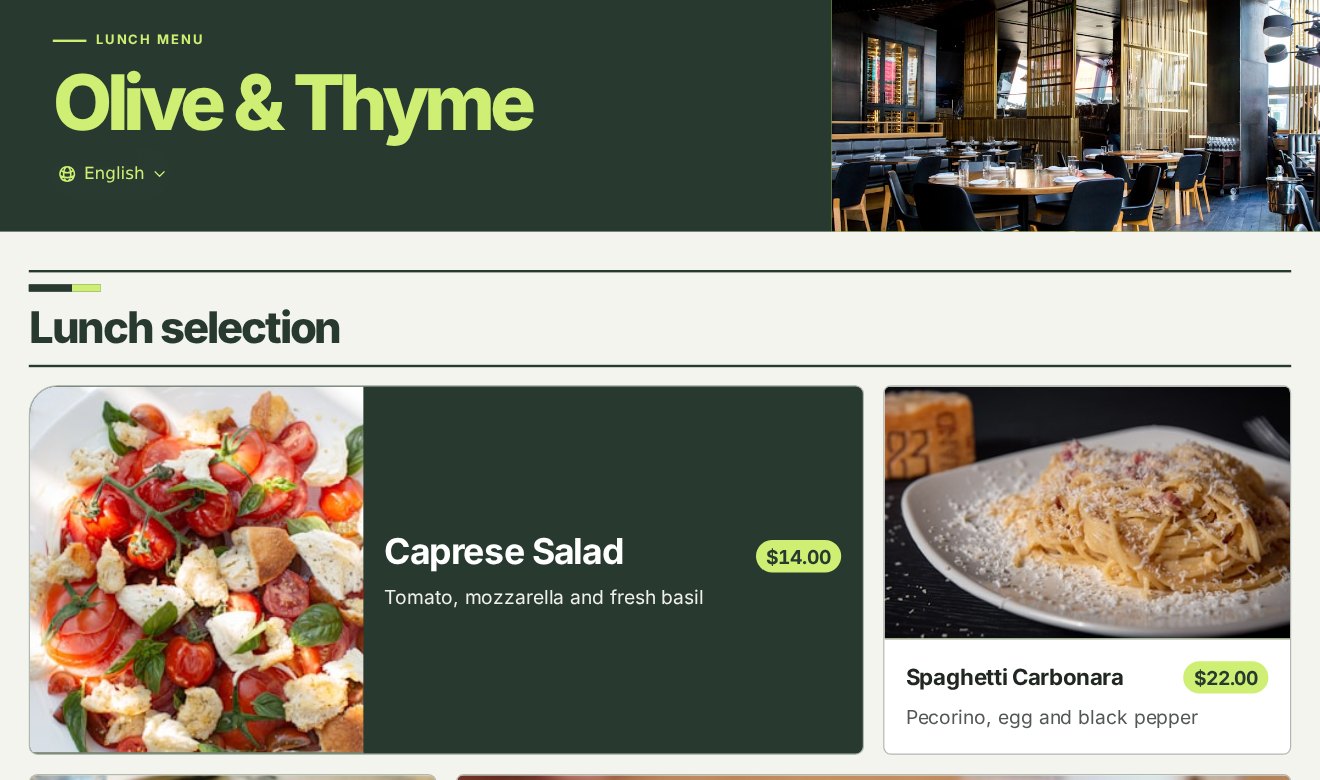
Menu collections and publishing
Create separate menus for lunch, dinner or special occasions. Publish or pause each one, and choose which published menu your restaurant’s QR code opens.
Menu designs
Choose a design to match your restaurant or the season. The layout adapts to phones, tablets and large screens.
Print table QR codes for ordering
Assign a published menu to each table. Guests who scan the table’s QR code see that menu in the design you chose. Free and Ad-Free support up to 30 tables per restaurant. Pro supports up to 100.
Collection and QR sign results
See how often each menu was opened and how much guests paid at the table. Every plan can download the report as an Excel file.
Dish catalog
Add dishes by hand, paste menu text or import a file. Upload a PDF of up to 5 pages, or a JPEG, PNG or WebP photo of your paper menu. Each file can be up to 10 MiB. Check the dish names, prices and variants in the draft, then select the items you want and confirm the import.
Collection QR
A collection QR opens its assigned collection. Edit the price in the draft and publish it. Guests can scan the same sign to see the new price.
How it works
Get your digital menu up and running in three simple steps.
Sign up for free
Verify your account and create the restaurant with the right currency.
Build your menu
Add dishes or import menu text. Check the names and prices, choose the dishes for your lunch menu and publish it.
Share your QR code
Choose the published menu for your shop QR. Preview it on a phone and scan one printed sign before sharing it.
Ready to digitize your menu?
Verify your account, create your restaurant, add menu items and check the preview. Then share your menu link or print the QR code for guests.
Free QR menu · No card required